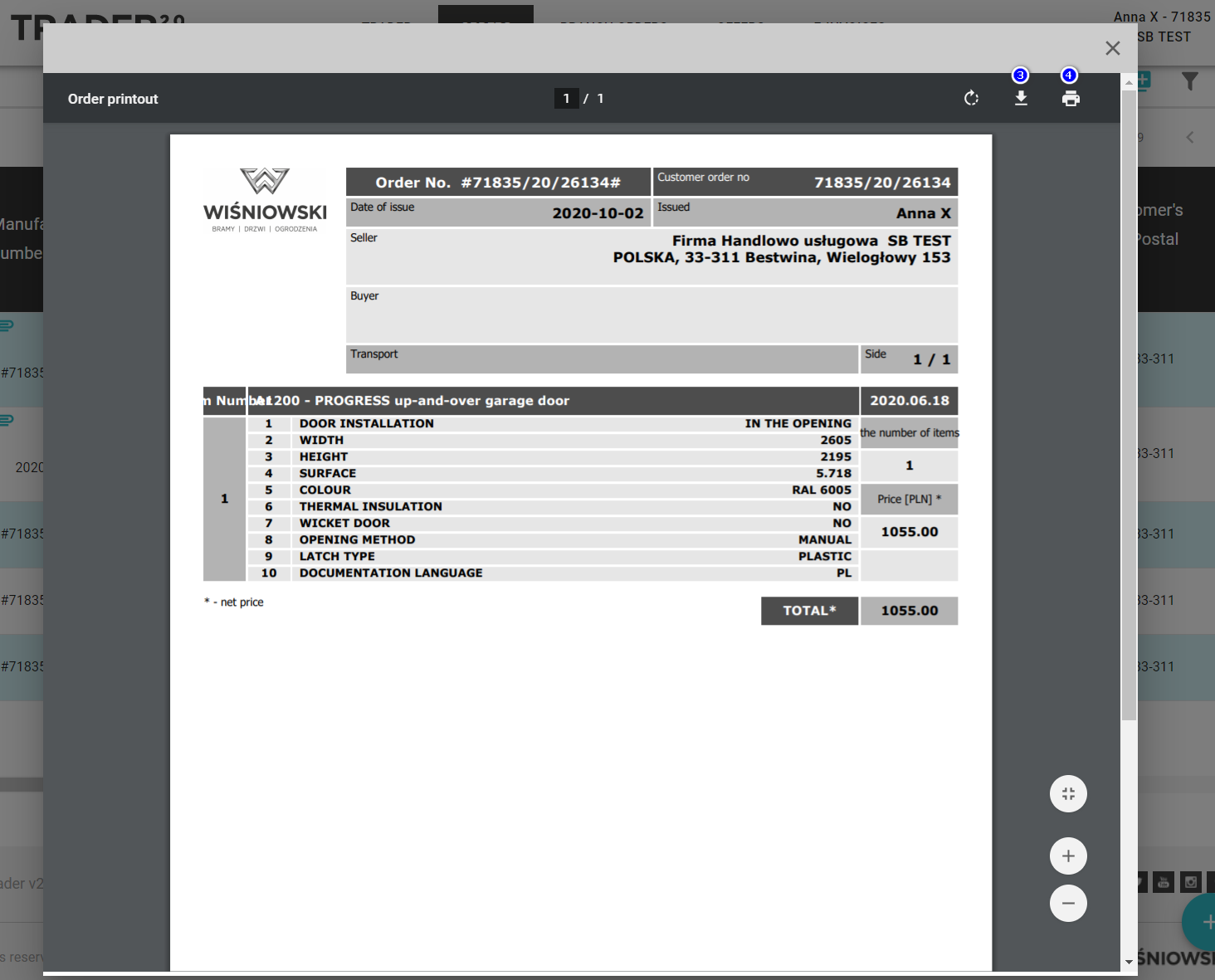
To print an order, go to the order list.
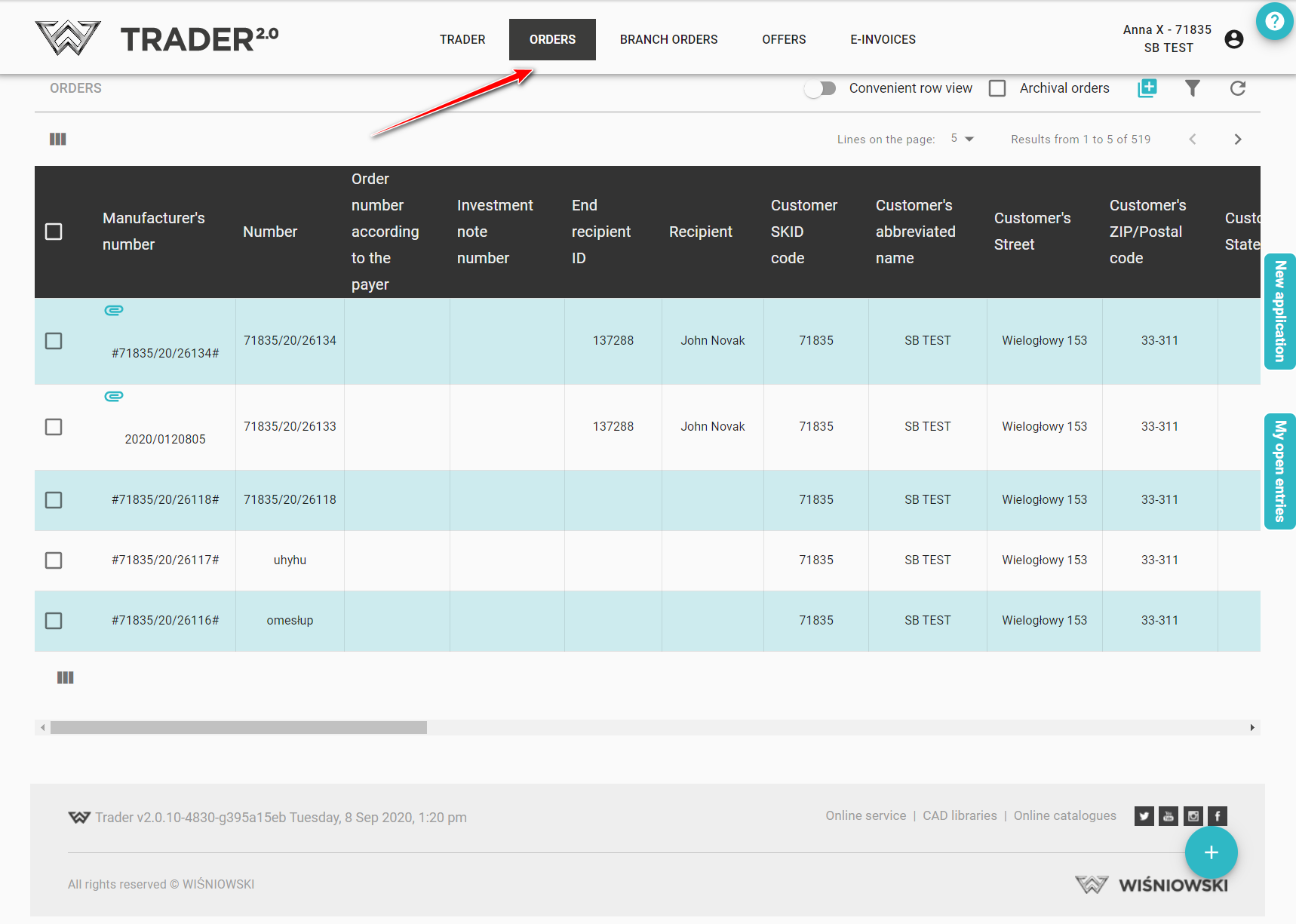
Move your mouse over the order you want to print (1). Among other things, the icon will appear (2).
(2).
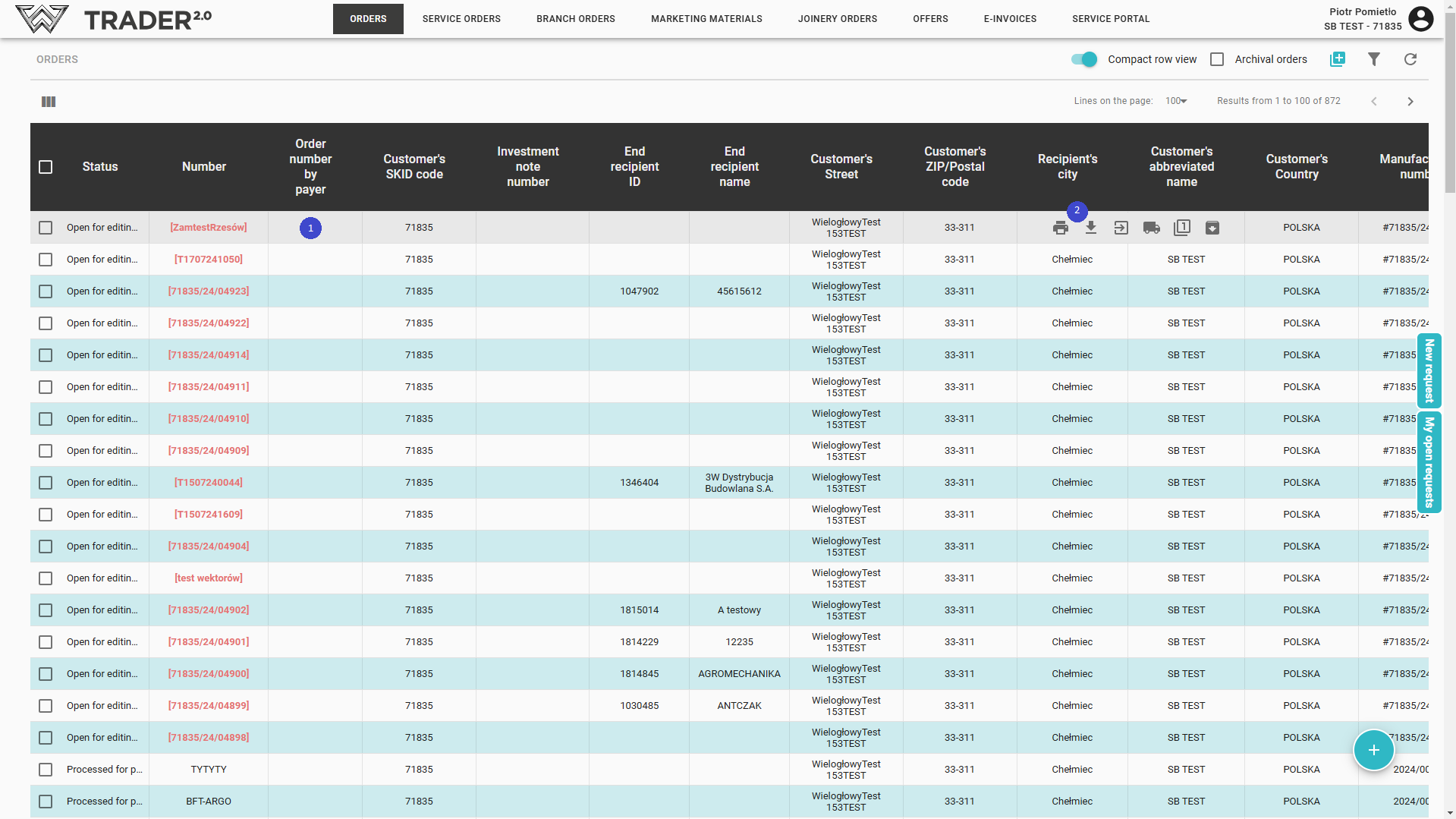
After clicking on it, a printout of the order in PDF format will be generated. The generated file can be downloaded (3) and save it to your computer or print it out (4).