TYPE OF GOODS TO BE LOADED
When creating / editing a Route (see: EN - 02. Creating new Route) you have to choose what type of goods you want to pick up (Fig.1.). The following types are available:
- panels: only mesh panels, posts and related accessories
- pvc: pvc windows and related accessories only
- mix: any items
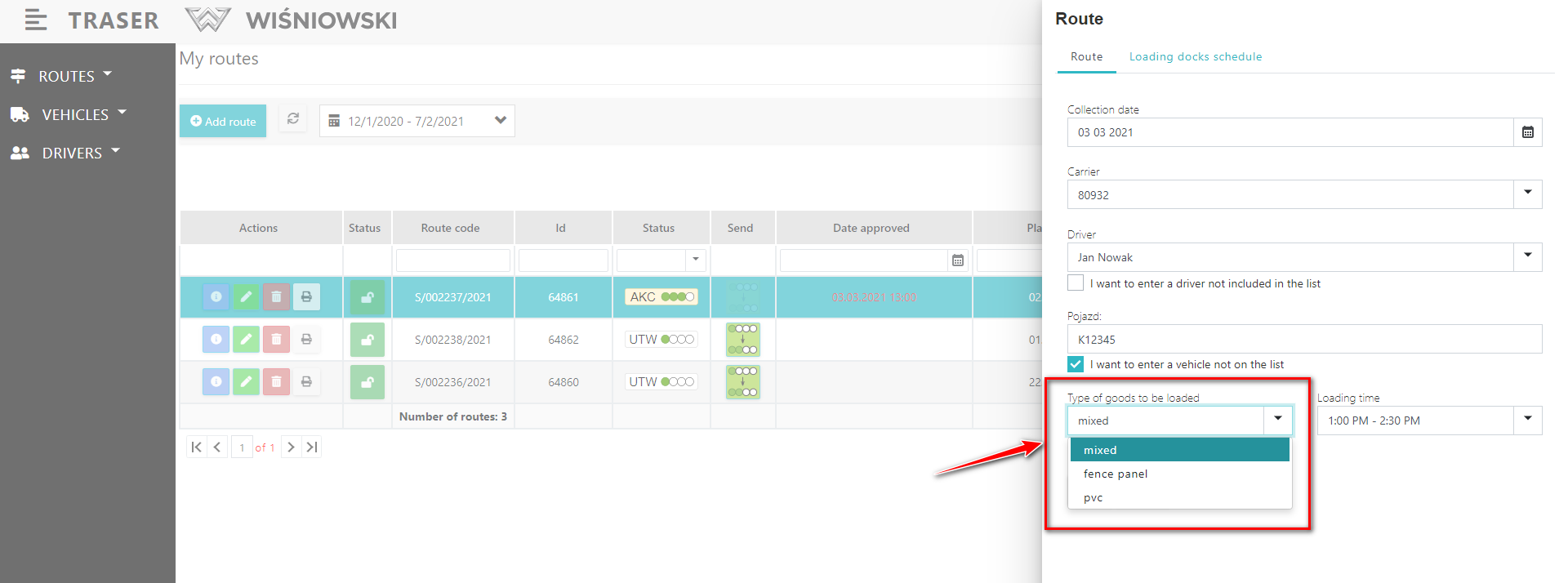
Fig 1. Types of goods to choose from when creating or editing a Route.
LOADINGS DOCKS (ramps)
Ech type of goods is associated with an appropriate Loading Dock:
- panels: chanel 44f
- pvc: chanel 40c
- mixed: chanel 4a and 3a
So if you select the type of goods, you automatically select a specific channel (or a group of channels, if there are several possible) on which you will receive the goods.
CHOOSING TIME OF ARRIVAL
After selecting the type of goods to be loaded (and before that the date of receipt and vehicle), the Traser checks the availability of the associated Loading dOCKS.
You can find the available hours in the drop-down list of hours. Choose a time from the list that suits you best (Fig. 2).
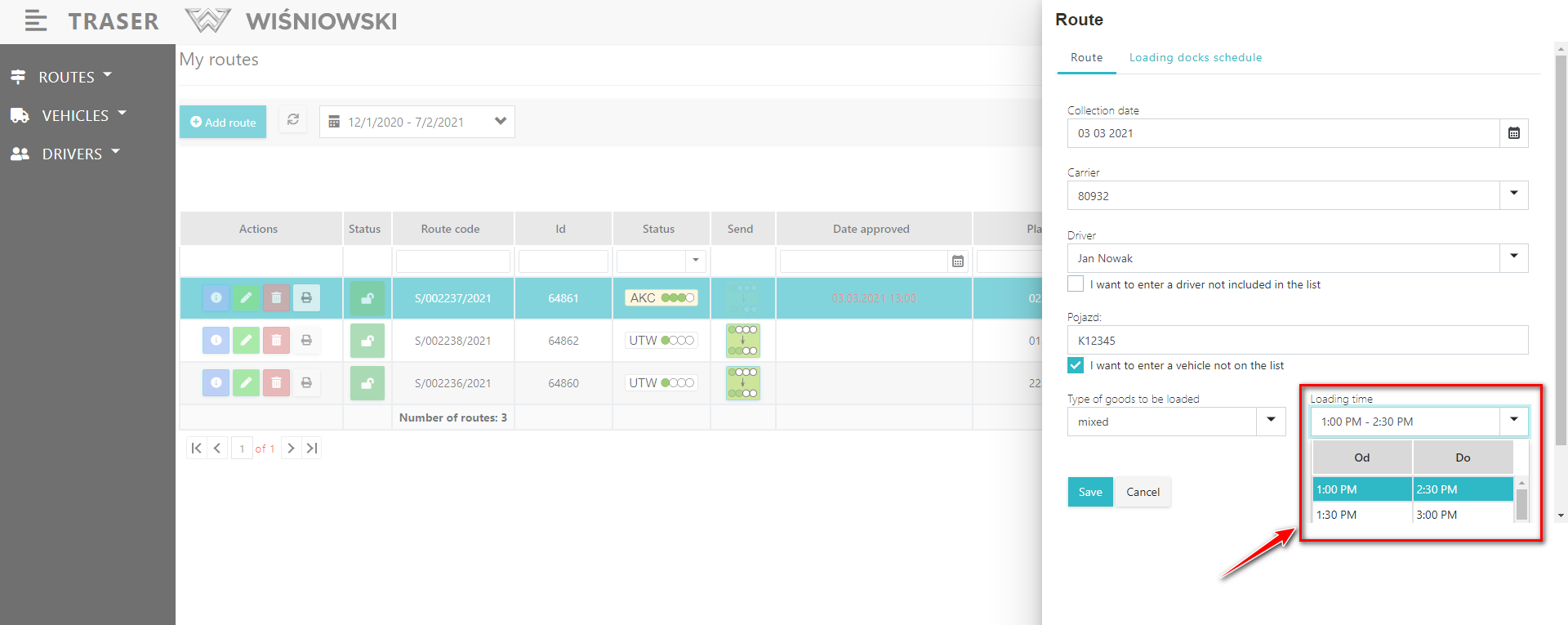
Fig. 2. Selecting the time of arrival.
RAMP SCHEDULE
If you want to see the capacity of the Loading Gate in a graphic form, select the tab: Ramp Schedule (Fig. 3).
Horizontal lines on the schedule appear every 30 minutes.
The green block represents the channel used by your Route. The red block means the channel is occupied by another customer.
The schedule is only used to graphically illustrate the ramps occupation. You can't edit anything on it!
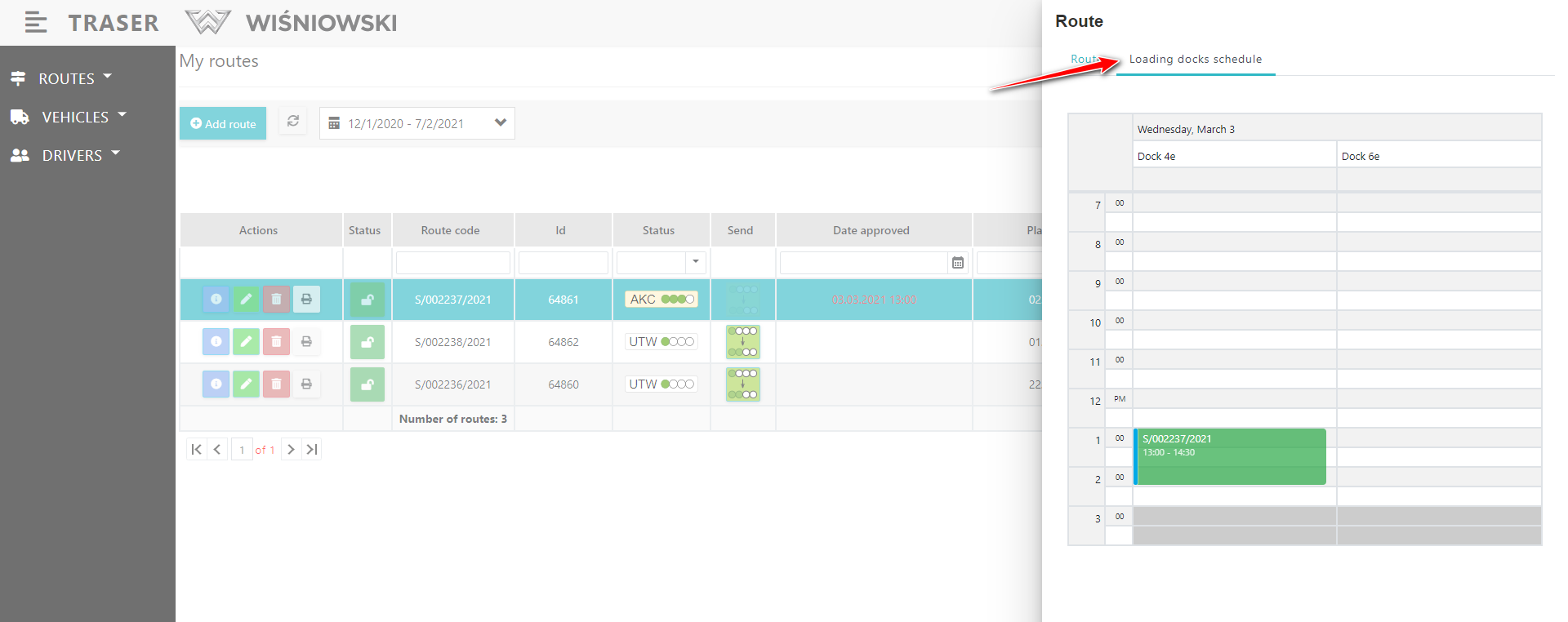
Fig. 3. Ramp occupied schedule.