CHANGE THE ORDER OF UNLOADING POINTS
1. Select in the side menu: Routes → show routes. A list of Routes should be displayed. Click the blue button with an information icon next to the appropriate Route (Fig. 1).
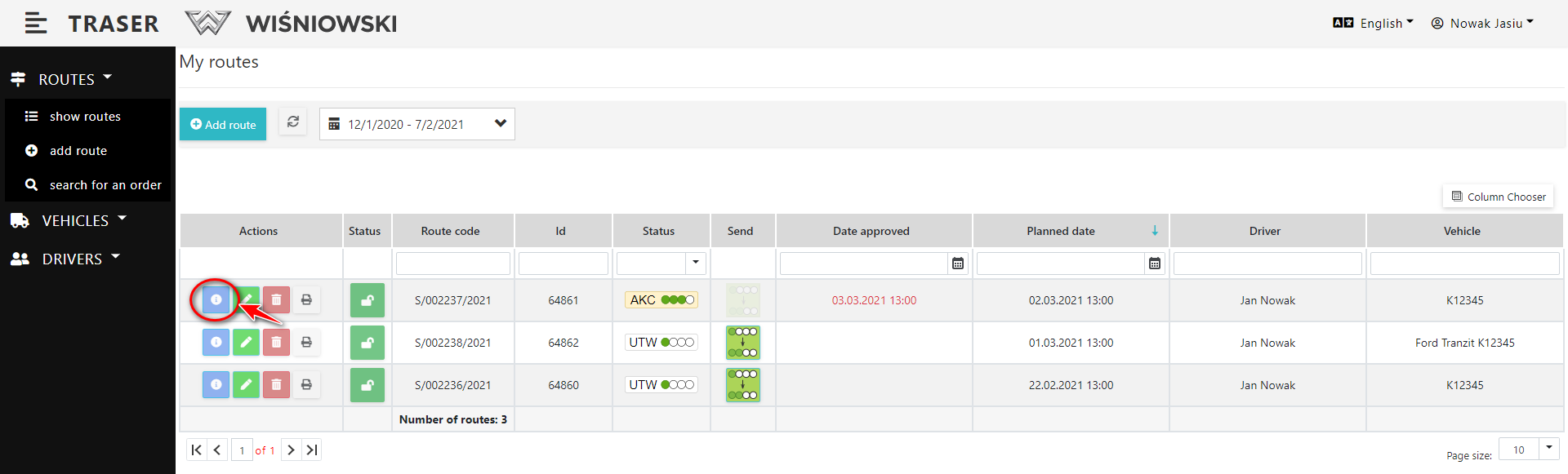
Fig. 1. Display Route details.
2. Select the tab: Unloading Points (Fig. 2.).
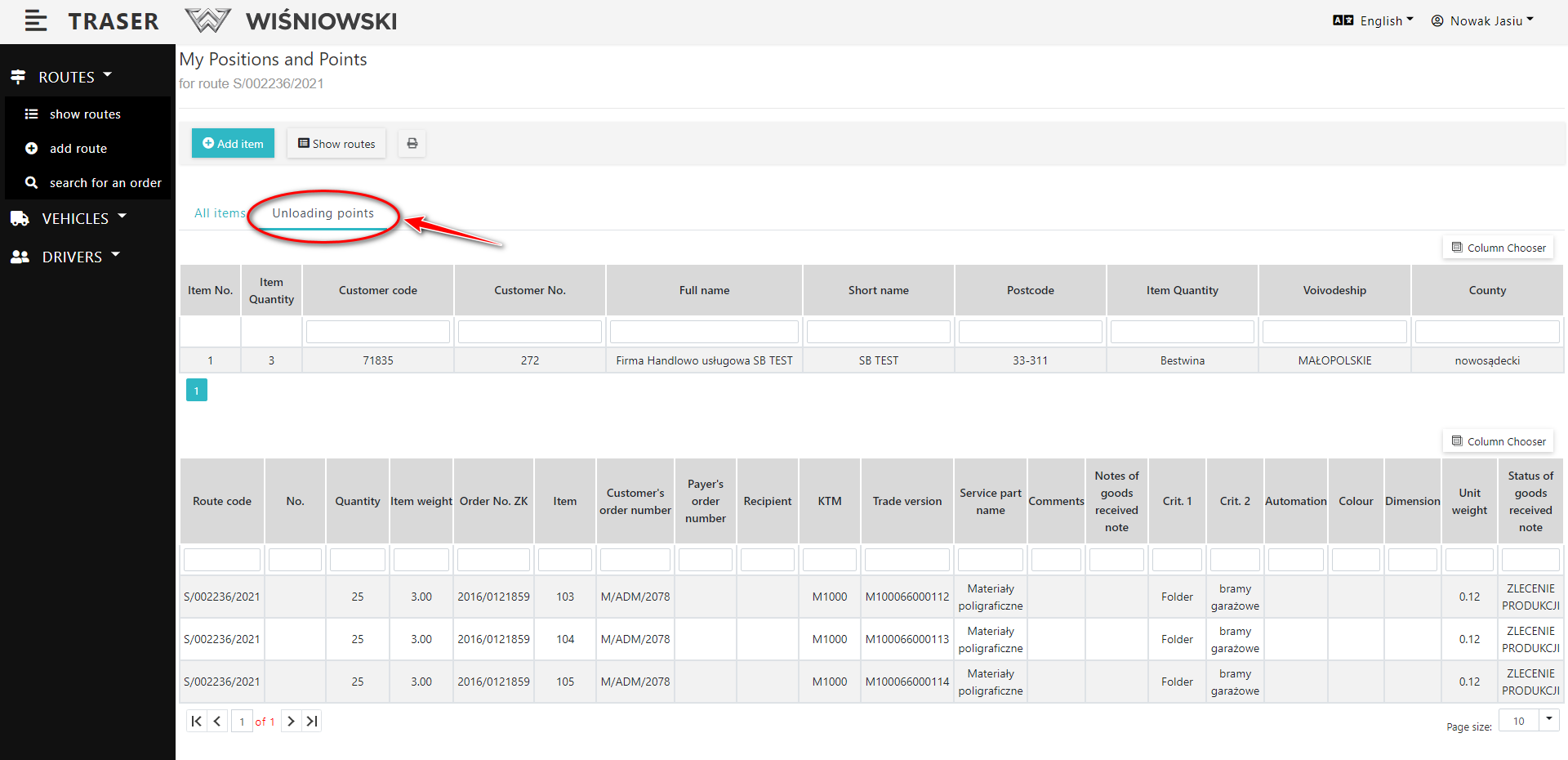
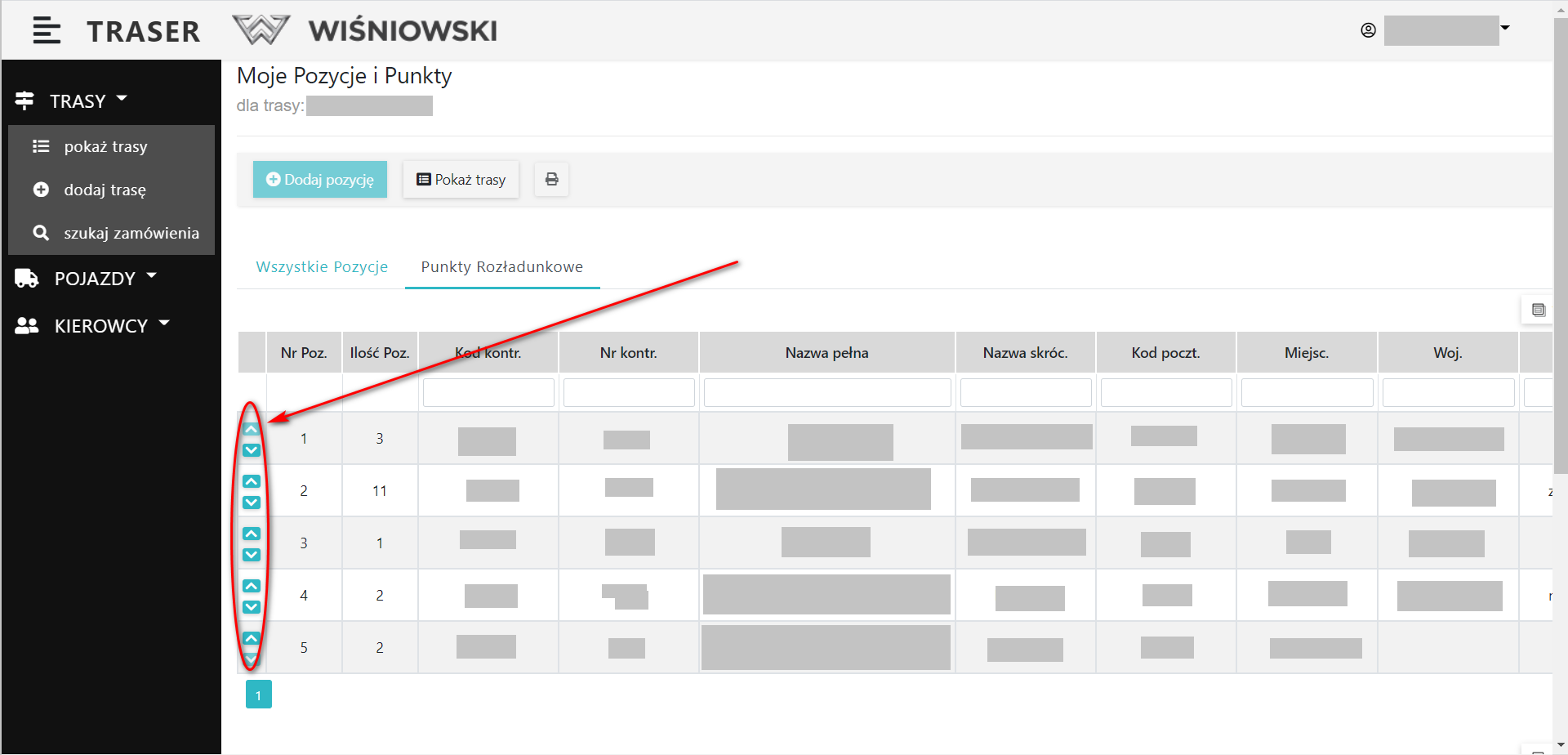
Fig. 3. Adjusting the order of the Unloading Points.