ROUTE STATUSES
In Traser, each Route has one of five Statuses (Fig. 1.).
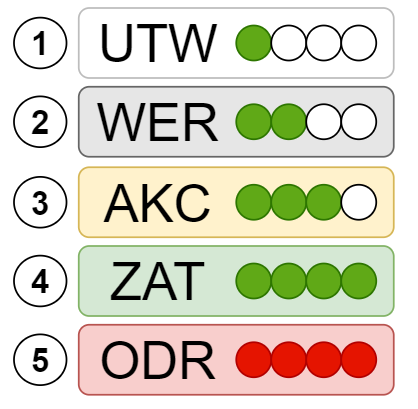
Fig. 1. Track status thumbnails in Traser..
- UTW - Created in Traser.
- WER - during verification by the Sales Department.
- AKC - pending approval by the Transport Department.
- ZAT - confirmed.
- ODR - rejected.
To view the status of a given Route, you need to display the Route list (Fig. 2.).
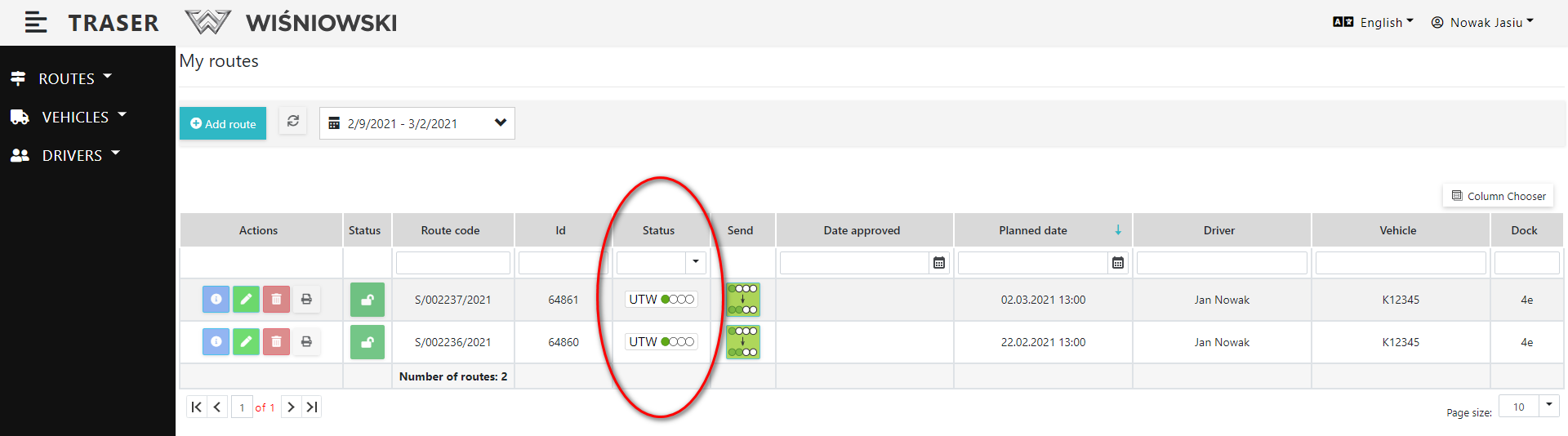
Fig. 2. Routes statuses in Traser.
SEND A ROUTE FOR APPROVAL
As soon as it is established in Traser, each Route receives the UTW status.
To change from UTW to WER status, click green button on the "Send" column (Fig. 3.). Only Tours with the UTW status have this button active.
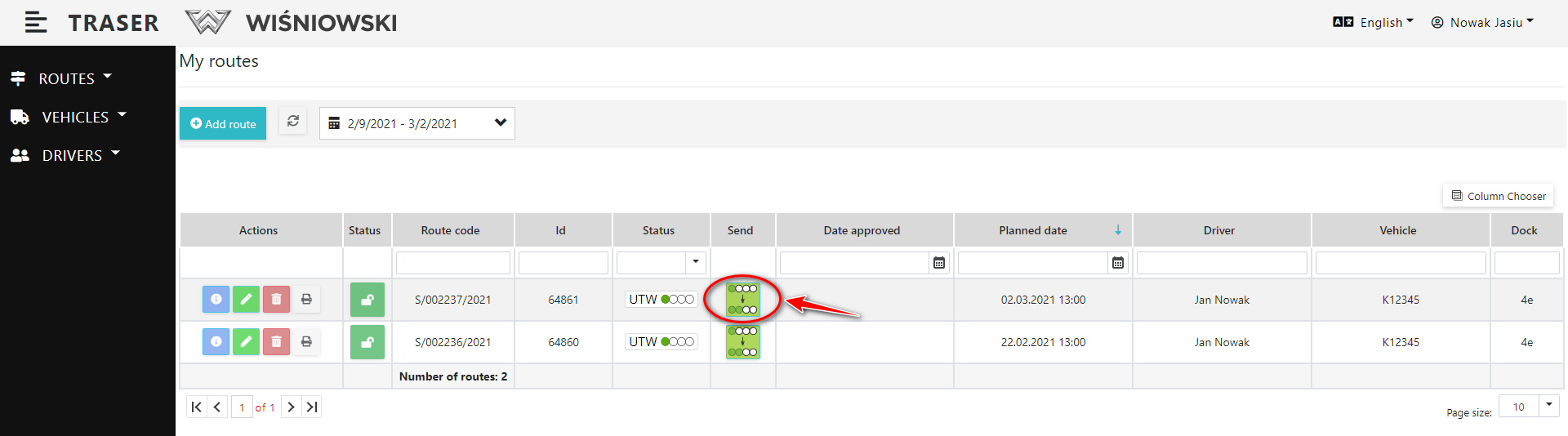
Fig. 3.Cznging the Route status.
Changing status on WER means, that a verification workflow has been created for it in an external validation application. From now on, the Route will gradually receive new statuses: AKC, ZAT or ODR.
The Tracks statuses in the Traser refresh each time the Tracks list is loaded. To manually refresh the Routes, click the "REFRESH" button (Fig. 4.).
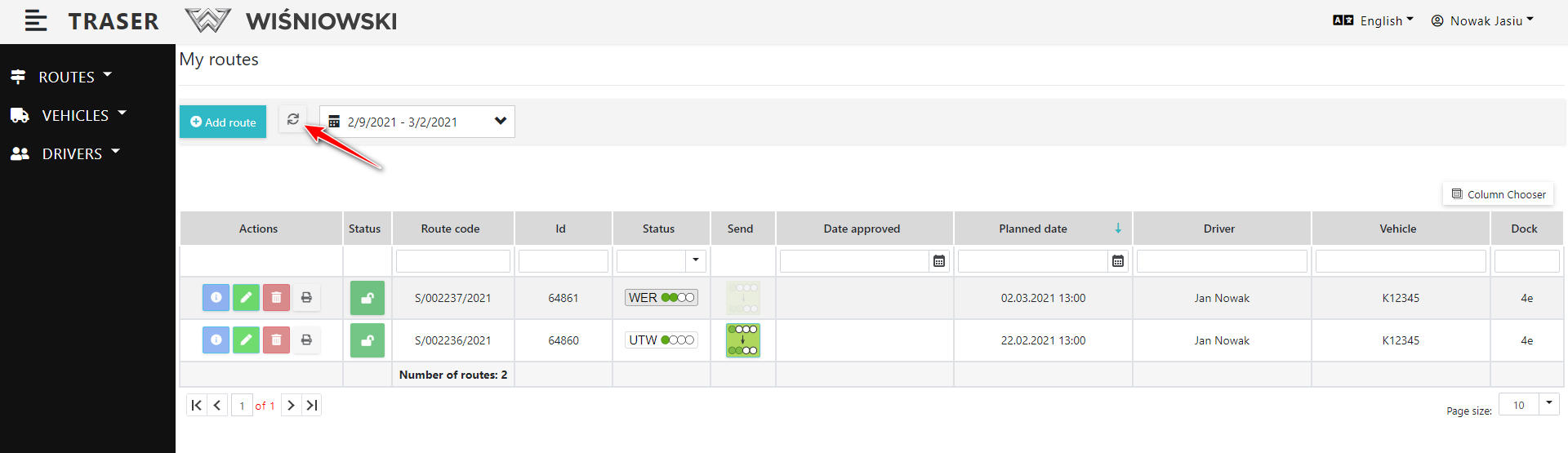
Fig. 4. Refresh Routes list.
info
Updating Route
If a Route with a verification workflow in Webcon (i.e. the status: WER, AKC, ZAT or ODR) is modified in the Route, e.g. new Items are added to it or the date / time is changed, the verification workflow is withdrawn and the Route is re-assigned the status WER or AKC.