EDIT
1. Select in the side menu: Routes → show routes. A list of Routes should be displayed.
Click the green button with a pencil icon next to the appropriate Route. (Fig. 1.)..
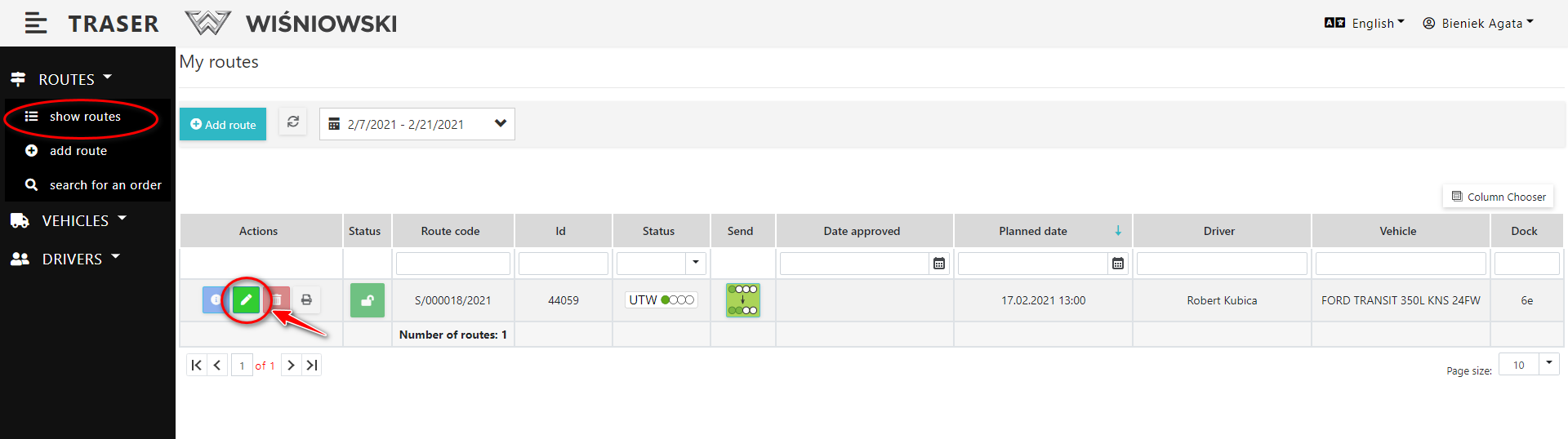
Fig. 1. Start editing the Route.
2. Edit the Route on the side panel and click the "SAVE" button (Fig. 2.).
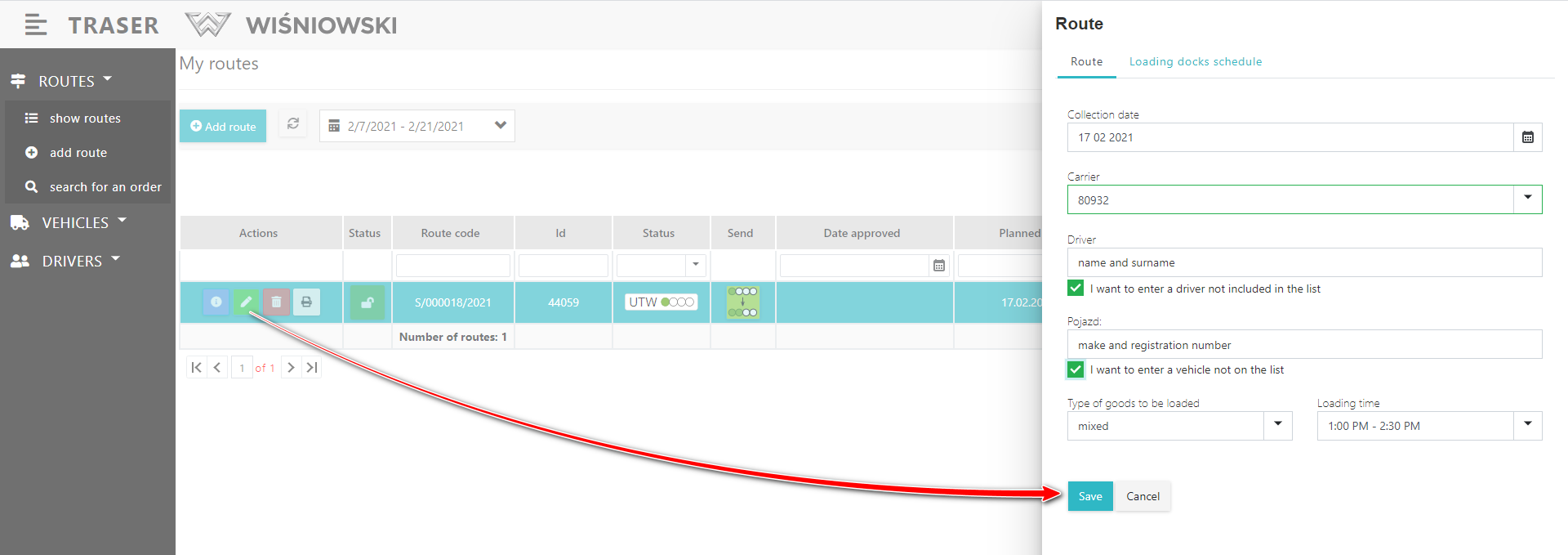
Fig. 2. Edit Route.
REMOVING
1. To delete a Route, click the red button with a trash can icon next to the appropriate Route (Fig. 3), and then confirm the deletion by clicking the "DELETE" button.
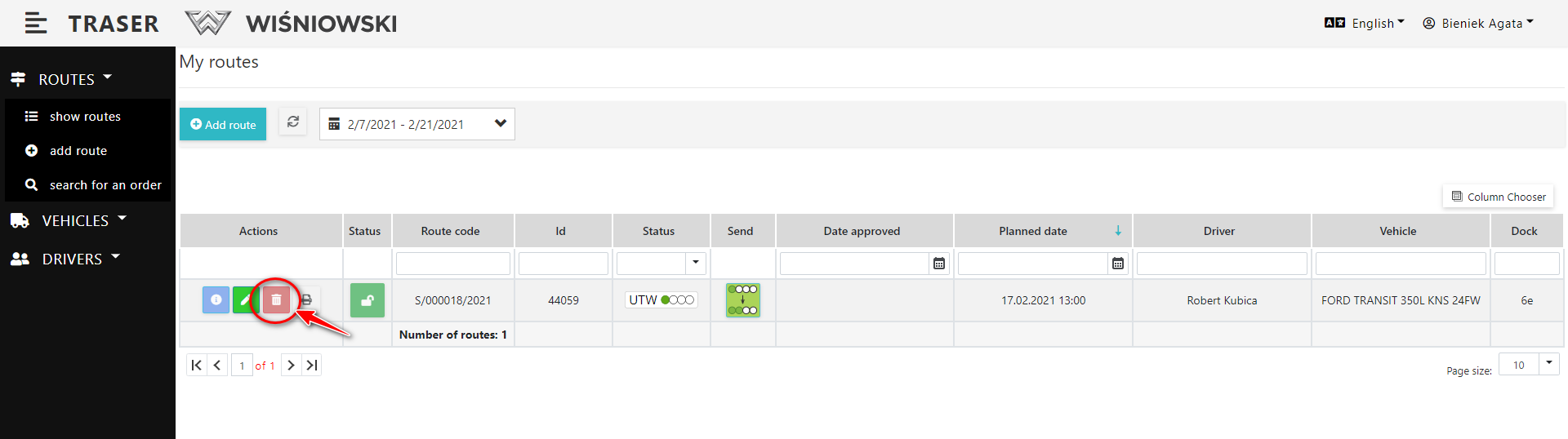
Fig. 3. Deleting a Route.
Return of items
Items that contain removed tour will return again to the ready for loading list.